Warping an image with mouse velocity in OGL
05/10/2026
|
Experiments
I wanted to learn the technique behind a lot of shader-driven sites, where the cursor pushes an image around and the distortion eases back afterwards. I built it with OGL, one small step at a time. This is what I ended up with and what tripped me up.
The idea
The effect needs three things:
- The mouse’s velocity, not just its position.
- A buffer that remembers recent velocity and slowly forgets it.
- A final pass that uses that buffer to shift where each pixel reads from in an image.
Velocity in JavaScript
mousemove fires as a stream of events, so velocity is the change in position between consecutive events, divided by the change in time. I keep the previous position and timestamp, and I keep X and Y separate so the direction survives.
function calculateVelocity(prev: Position, current: Position) {
    const timeTaken = current.time - prev.time;
    return {
        x: (current.x - prev.x) / timeTaken,
        y: (current.y - prev.y) / timeTaken
    };
}
This only runs inside the mousemove handler. When the mouse stops, no event fires and the last value would stay frozen, so the render loop multiplies the stored velocity by 0.9 each frame to bring it back to zero.
Ping-pong buffers
A shader can’t read and write the same texture in one draw call. So I use two render targets and swap their roles every frame. One holds last frame’s result, and the other receives this frame’s. The trail shader reads the old buffer, fades it, and stamps the current velocity in near the cursor. A second pass draws the finished buffer to the screen.
Storing a signed value
A texture channel holds 0 to 1, but velocity can be negative. Moving left looked identical to standing still in my first debug view, because negative values clamp to zero. The fix is to scale, clamp, then remap into 0 to 1, so that 0.5 means “not moving”:
float velocityX = (clamp(uMouseVelocity.x * 60.0, -1.0, 1.0) + 1.0) / 2.0;The fade then has to pull towards 0.5, not towards zero, which is a mix and not a multiply:
vec3 fade = mix(texture2D(uPrevious, vUv).rgb, vec3(0.5), 0.03);
gl_FragColor.rgb = mix(fade, velocity, blob);
The ghosting bug
The background never quite returned to neutral. A default render target stores each channel in 8 bits, which gives 256 levels. Near 0.5, a 3 to 5 percent nudge is smaller than half a level, so the rounding undoes it and the value freezes. The fix was giving both buffers a half-float format. Both need it, because they swap roles every frame.
Warping the image
The final pass decodes the velocity and shifts the lookup position:
vec2 velocity = texture2D(uTrail, vUv).rg * 2.0 - 1.0;
vec2 newUv = vUv - velocity * 0.12;
Subtracting makes the image look dragged along with the mouse, and adding makes it look pushed away. I tested with a procedural grid first, because it made the bend easy to see and showed that only one axis bends unless the pattern varies on both.
Cover fit
A texture sampled at the screen’s UVs takes the screen’s shape, so my photo came out stretched. A cover fit works out how much of the image is visible, then scales around the centre:
vec2 scale;
if (uAspect > uImageAspect) {
    scale = vec2(1.0, uImageAspect / uAspect);
} else {
    scale = vec2(uAspect / uImageAspect, 1.0);
}
vec2 coverUv = (newUv - 0.5) * scale + 0.5;
Settings I ended on
Blob radius 0.14, velocity scale 60, distortion 0.12, buffer fade 0.03, JS decay 0.9.
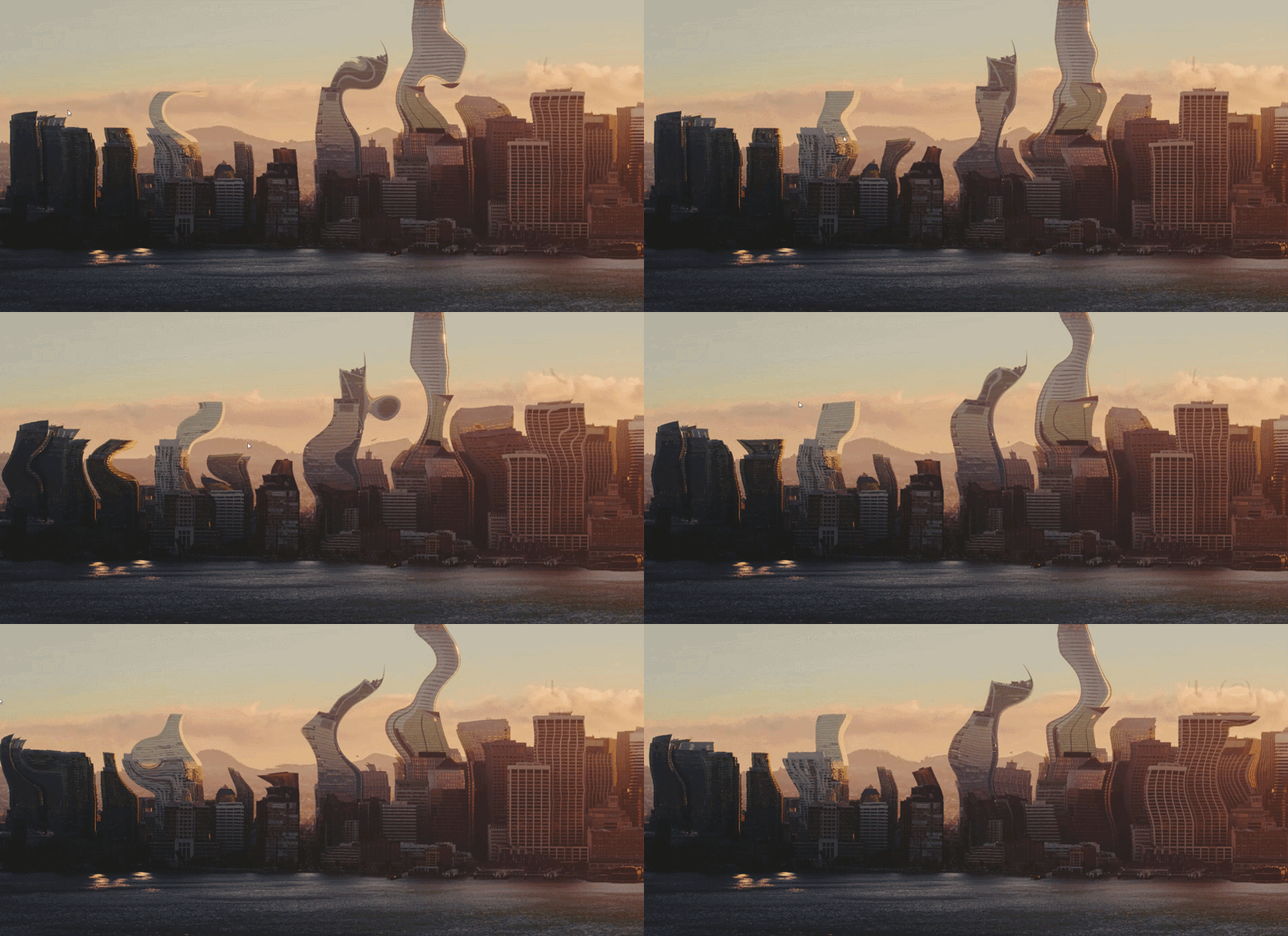
Example of the final result
Wrapping up
The finished effect is only a few dozen lines of shader code, but getting there taught me more than I expected. Ping-pong buffers turned out to be the idea underneath most of the effects I’d looked at before and thought of as magic. Cursor trails, fluid simulations and page transitions all come down to reading last frame’s result, changing it a little, and writing it somewhere else.
The bugs were useful too. The 8-bit rounding problem is the one I’ll remember. The buffer stopped fading, and the cause was not in my shader logic at all but in how the texture stored its numbers. I wouldn’t have found it without checking the actual values, so I’ll look at the storage format sooner next time.
If you’re learning shaders too, my advice is to start with the ping-pong pattern and a single blob. Everything else I built here sits on top of that.